
Supports, releases and joints
A model has to be held, and its parts have to be joined. xfea keeps the two apart: a support holds nodes against the ground; a joint connects parts to each other. Parts never share nodes; where they meet, an interface, a coupling, a spring or a connector says how.
Supports
Section titled “Supports”model.add_fix_bc(nodes=base) # all six heldmodel.add_pin_bc(nodes=ends) # translations held, rotations freemodel.add_rollerXZ_bc(nodes=sym) # held in y only: a plane of symmetry for solidsmodel.add_bcs(MechanicalBCField(nodes, GeneralBC(y=True, xx=True, zz=True))) # any set of directionsEvery support can be given a frame, to hold along local axes instead of global ones. Beams and shells on a plane
of symmetry need the rotations in that plane held too, which GeneralBC does.
Elastic supports put nodes on springs to the ground: model.add_spring_supports(nodes, stiffness, direction).
With only="compression" a spring bears and lifts off, like a footing on soil.
Beam end releases
Section titled “Beam end releases”A frame’s joints are rigid unless a beam end is released:
part.add_beams_releases_fields(elements=braces, end="both", release=BeamEndPinRelease(m1=True))part.add_beams_releases_fields(elements=[beam], end="start", release=BeamEndSemiRigidRelease(m1_stiffness=5e9)) # N mm/radA pin releases a rotation; a semi-rigid release puts a rotational spring there, for joints that are neither pinned nor rigid. At a joint, release all the members but one: if every end there is released, nothing holds the node’s rotation.
Joining parts
Section titled “Joining parts”| Joint | What it does | For |
|---|---|---|
Tie (TieConstraint) |
One surface’s nodes follow the other’s | welds, glued or cast-in parts, meshes that don’t match |
Contact (HardContactNoFriction, HardContactFrictionPenalty) |
Surfaces push on each other when pressed, part when pulled, slide or stick | bearing plates, stacked blocks, anything that can lift off |
Rigid coupling (model.add_rigid_coupling) |
A group of nodes moves as one rigid body with a reference node | a beam end on a plate, a load or moment at a point |
Springs between nodes (model.add_spring_links) |
A spring of given stiffness between pairs of nodes | bolts, bearings, elastic connections |
Ties and contact are found by geometry: model.detect_interfaces finds where parts touch and makes an interface for
each pair.
model.detect_interfaces( behavior=HardContactFrictionPenalty(mu=0.3, tol=1), method="face_intersection", # meshes that don't match at the faces part_pairs=[(column, plate)], # (master, slave): the support side first)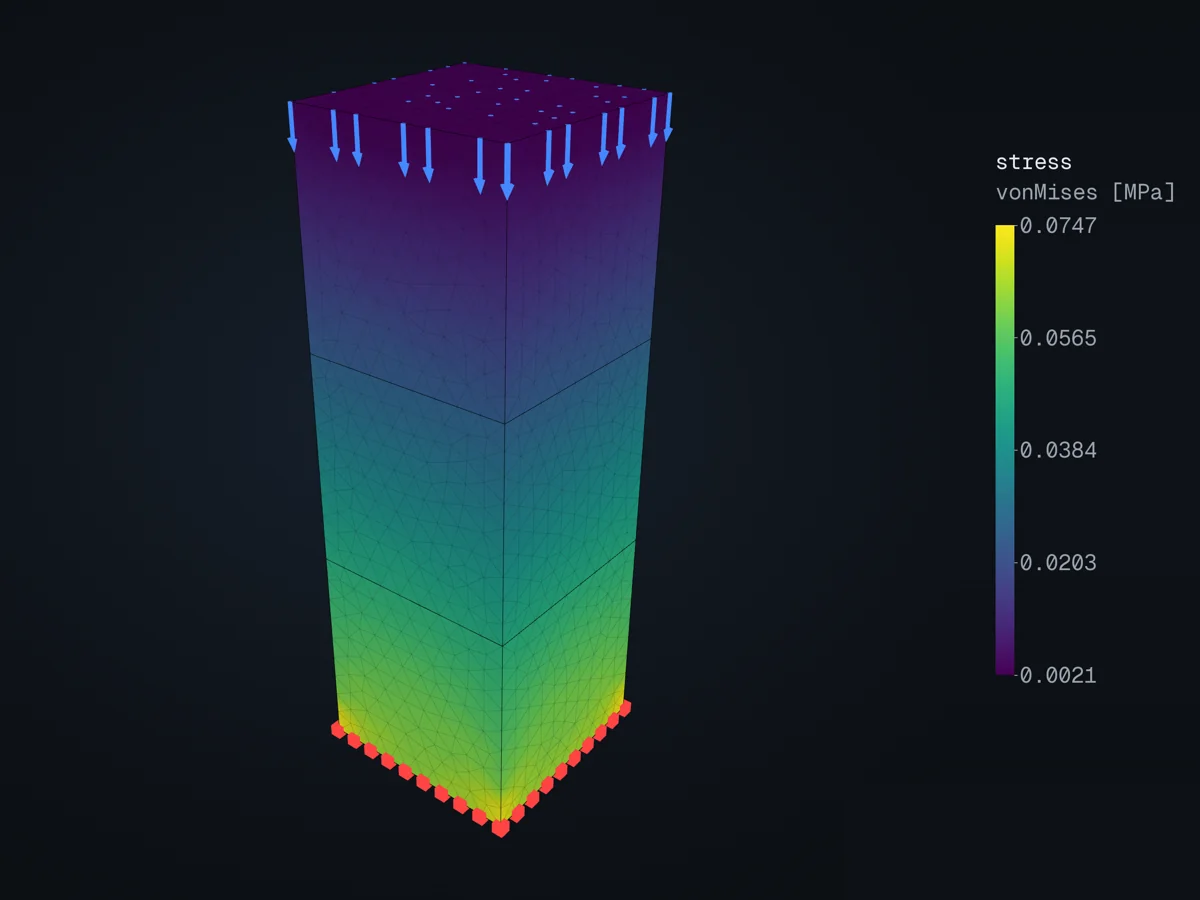
Three cubes stacked with frictional contact: the stress grows towards the base as the weight above builds up.
Bolts are often springs: one-sided (only="tension") links from the plate to the flange, spread over the nodes
under the washer. Contact and one-sided springs make a step nonlinear: the solver iterates to find what is in
contact and which springs act.
What to check
Section titled “What to check”The model picture shows the supports as black markers and the loads as red arrows (in the 3D viewer, supports red and
loads blue), and lists every interface with its parts:
render_model, or the viewer. model.check() flags joints a solver would get wrong
without saying so, such as a support on a tie’s slave face. See Checking a model.
In the examples
Section titled “In the examples”- Supports and forces.
- Coulomb friction and the contact patch test.
- A roof truss with rigid linear connectors.
The API reference has supports, interfaces and constraints.
© 2026 Francesco Ranaudo · Text and pictures CC BY 4.0 · Code Elastic License 2.0 · how to reuse them