
Copy and transform parts
Demonstrates a small assembly workflow built from one imported part and a transformed copy.
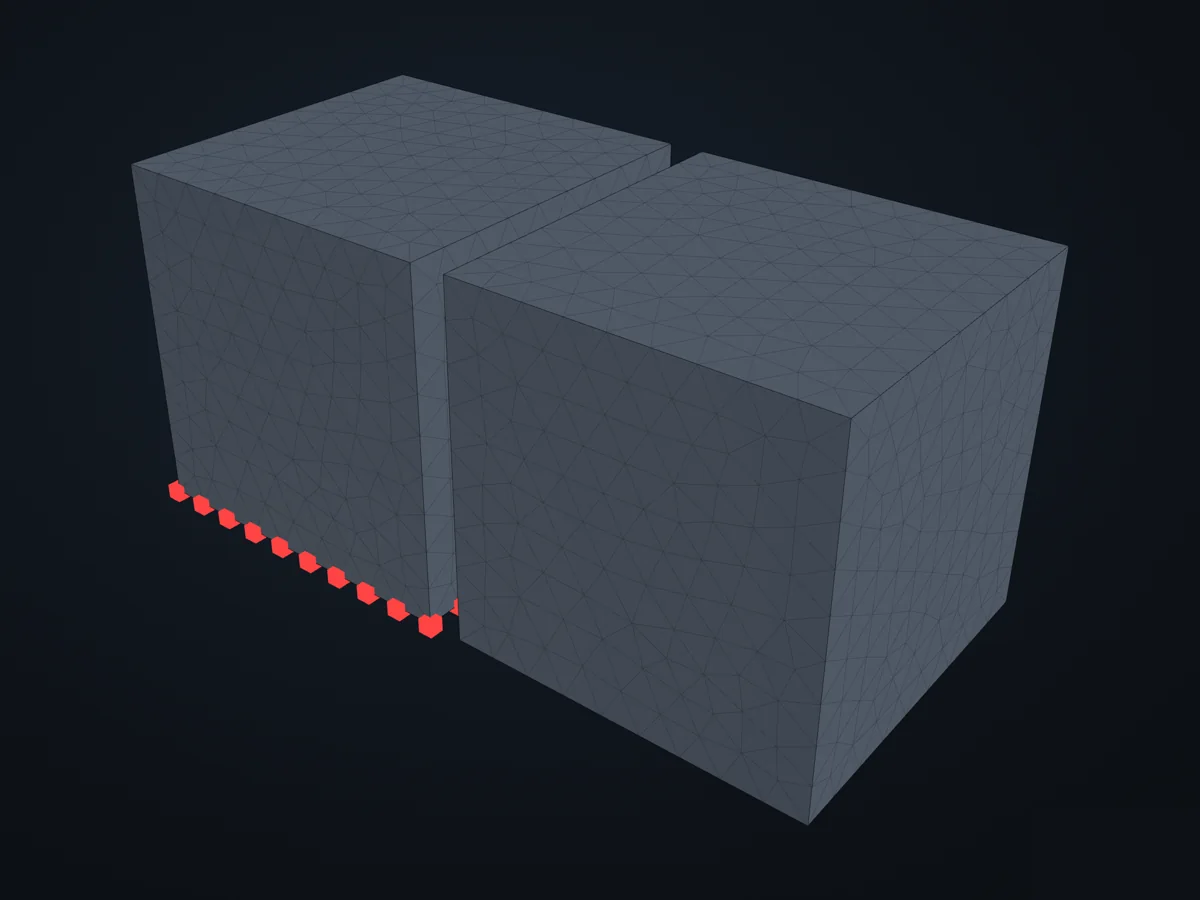
The model before it is solved: its parts, supports (red) and loads (blue).
Open in 3D turn it, cut it, hide parts: in xfea's viewer, in your browser
The script
Section titled “The script”examples/scripts/03_workflows/assemblies/copy_and_transform_parts.py. Run it from the repository with uv run python examples/scripts/03_workflows/assemblies/copy_and_transform_parts.py, or, with xfea-examples installed, xfea-examples run 03_workflows/assemblies/copy_and_transform_parts.py.
from xfea.geometry import Translation
from xfea_examples import show_viewerfrom xfea_examples.models import solid_box_model

copy_offset_x = 1100  # [mm] x-translation applied to the copied part
model, part, _, _, _ = solid_box_model(name="copy_and_transform_parts")copied = part.copy()copied.name = "solid_copy"copied.transform(Translation.from_vector([copy_offset_x, 0, 0]))model.add_part(copied)
print(f"Original part: {part.name}")print(f"Copied part: {copied.name}")print(f"Total parts: {len(model.parts)}")show_viewer(model)© 2026 Francesco Ranaudo · Text and pictures CC BY 4.0 · Code Elastic License 2.0 · how to reuse them