
Meshing lines into beams
A line becomes beams with part.mesh: by element size (max), by a number of elements a line
(divisions), or finer near a point (Refine.around). groups names the line’s ends, for the
supports and loads. A polyline meshes the same way, each straight piece on its own.
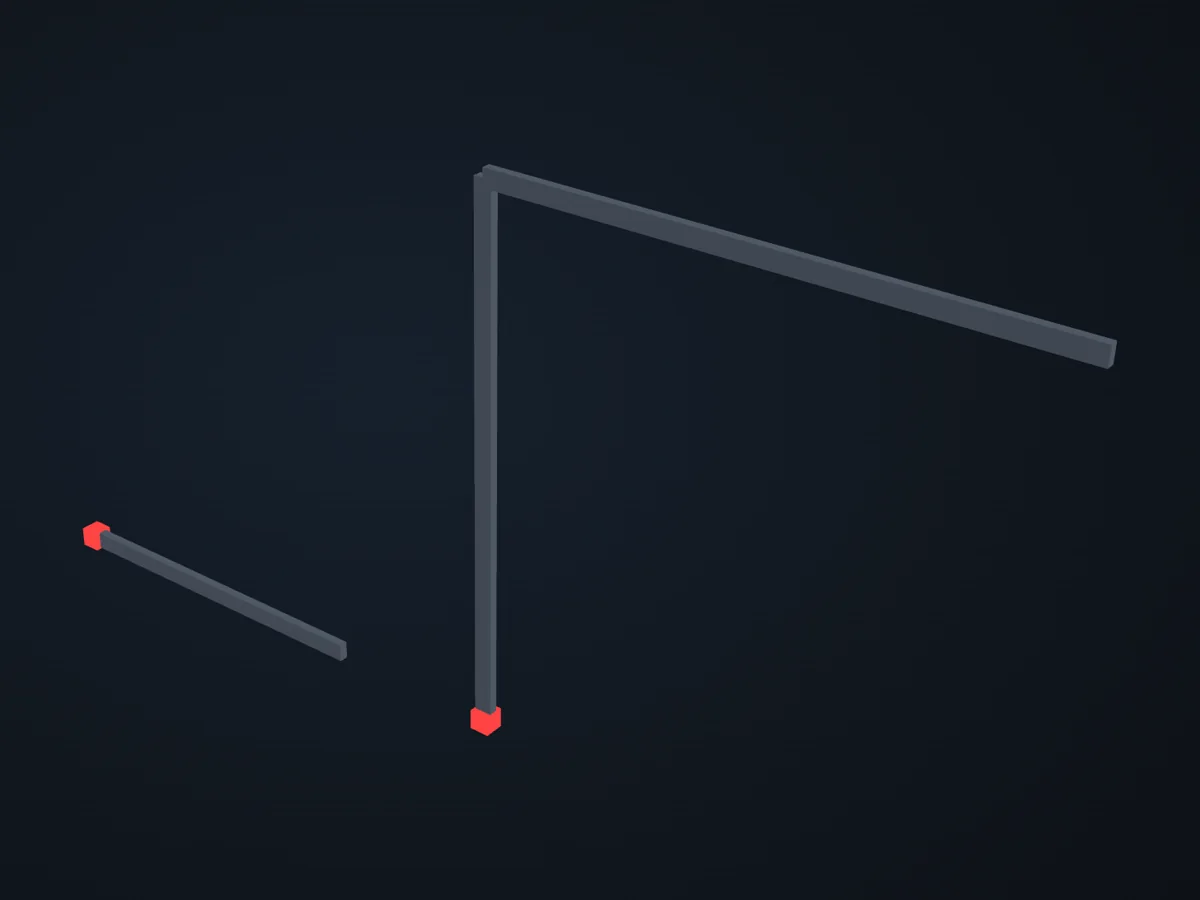
The model before it is solved: its parts, supports (red) and loads (blue).
Open in 3D turn it, cut it, hide parts: in xfea's viewer, in your browser
The script
Section titled “The script”examples/scripts/02_core_concepts/geometry_and_meshing/mesh_a_line.py. Run it from the repository with uv run python examples/scripts/02_core_concepts/geometry_and_meshing/mesh_a_line.py, or, with xfea-examples installed, xfea-examples run 02_core_concepts/geometry_and_meshing/mesh_a_line.py.
from xfea.geometry import Linefrom xfea.geometry import Polylinefrom xfea.meshing import MeshingSettingsfrom xfea.meshing import Refinefrom xfea.meshing import Selectfrom xfea.model import BeamElementfrom xfea.model import ElasticIsotropicfrom xfea.model import Modelfrom xfea.model import Partfrom xfea.model import RectangularSectionfrom xfea_examples import show_viewer
steel = ElasticIsotropic(E=210_000, v=0.3, density=7.85e-9)  # N, mm, tsection = RectangularSection(w=50, h=100, material=steel)beam_kwargs = dict(section=section, element_cls=BeamElement, orientation=[0, 1, 0])  # the section's h vertical
model = Model(name="mesh_a_line")beam = model.add_part(Part(name="beam"))beam.base_geometry = Line((0, 0, 0), (2000, 0, 0))
# By size: elements of 100 mm at most.beam.mesh(settings=MeshingSettings(max=100), **beam_kwargs)print(f"max=100:       {len(beam.elements)} elements")
# By number: the line in exactly 8.beam.mesh(settings=MeshingSettings(divisions=8), **beam_kwargs)print(f"divisions=8:   {len(beam.elements)} elements")
# Finer near the support, where the moment is largest, with both ends named.beam.mesh(    settings=MeshingSettings(max=100, refine=[Refine.around((0, 0, 0), radius=100, size=10, reach=300)]),    groups={"support": Select.points(near=(0, 0, 0)), "tip": Select.points(near=(2000, 0, 0))},    **beam_kwargs,)xs = sorted(node.x for node in beam.nodes)print(f"refined:       {len(beam.elements)} elements, {xs[1] - xs[0]:.0f} mm at the support, "      f"{xs[-1] - xs[-2]:.0f} mm at the tip")
model.add_fix_bc(nodes=beam.find_group_by_name("support"))
# A frame: a column and a beam from one polyline, each piece in 6, its corner named.frame = model.add_part(Part(name="frame"))frame.base_geometry = Polyline([(3000, 0, 0), (3000, 0, 3000), (6000, 0, 3000)])frame.mesh(settings=MeshingSettings(divisions=6), groups={"corner": Select.points(near=(3000, 0, 3000))}, **beam_kwargs)print(f"frame:         {len(frame.elements)} elements, corner node {frame.find_group_by_name('corner')[0].xyz}")
model.add_fix_bc(nodes=frame.find_closest_nodes_to_point((3000, 0, 0)))
show_viewer(model, units="mm")© 2026 Francesco Ranaudo · Text and pictures CC BY 4.0 · Code Elastic License 2.0 · how to reuse them