
Import a STEP assembly
Demonstrates a small imported assembly made of multiple STEP parts. The example focuses on import, meshing, and assembly composition rather than plugin- specific details.
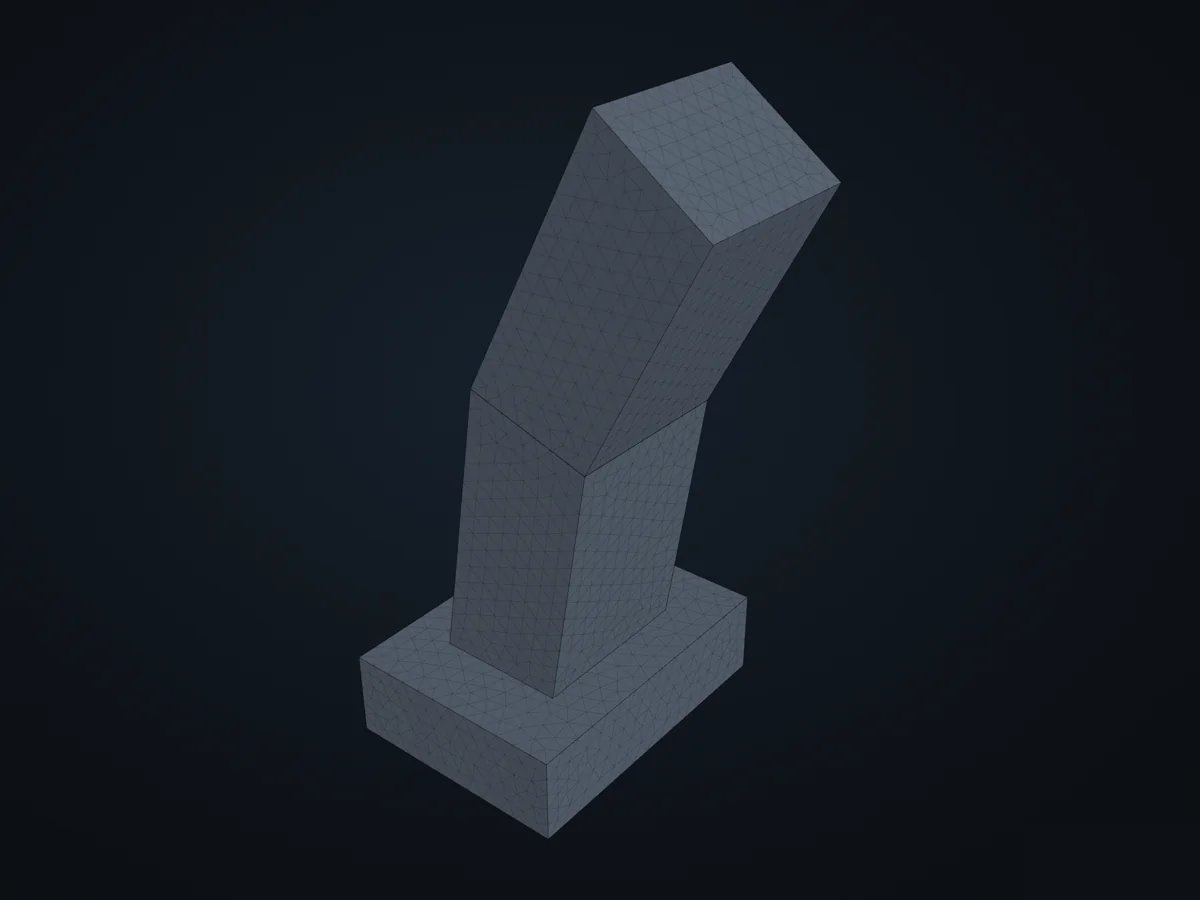
The model before it is solved: its parts, supports (red) and loads (blue).
Open in 3D turn it, cut it, hide parts: in xfea's viewer, in your browser
The script
Section titled “The script”examples/scripts/03_workflows/imports/step_assembly.py. Run it from the repository with uv run python examples/scripts/03_workflows/imports/step_assembly.py, or, with xfea-examples installed, xfea-examples run 03_workflows/imports/step_assembly.py.
from xfea.meshing import MeshingSettingsfrom xfea.model import ElasticIsotropicfrom xfea.model import Modelfrom xfea.model import Partfrom xfea.model import SolidSection
from xfea_examples import get_assetfrom xfea_examples import show_viewer

# Concrete material (SI-mm)E = 30_000        # [MPa]     Young's modulusv = 0.2           # [-]       Poisson's ratiodensity = 2.4e-9  # [t/mm^3]  mass density# Mesh controlsmesh_min = 80     # [mm] target min element sizemesh_max = 120    # [mm] target max element size
model = Model(name="step_assembly")material = ElasticIsotropic(E=E, v=v, density=density, name="assembly_material")section = SolidSection(material=material)
for index in range(3):    part = model.add_part(Part(name=f"block_{index}"))    part.base_geometry = get_asset(f"a{index}.stp")    part.mesh(settings=MeshingSettings(min=mesh_min, max=mesh_max), section=section)
print(f"Imported parts: {len(model.parts)}")print(f"Total nodes: {len(model.nodes)}")print(f"Total elements: {len(model.elements)}")show_viewer(model)© 2026 Francesco Ranaudo · Text and pictures CC BY 4.0 · Code Elastic License 2.0 · how to reuse them